Features

Every feature, in detail

The rest of the tour: from the diff to the statistics, and everything around them.

Review

Read the diff, comment, send it back

The whole branch as one diff. Drop comments on lines and they go back to the agent as its next instruction.

  • A summary of files changed after every turn
  • A checkpoint per turn: restore the worktree to any of them
  • A changed HTML page previews live in the diff
  • File tree, built-in editor, terminals and a browser beside the chat
  • Spotlight: try a worktree's changes in your main checkout, live
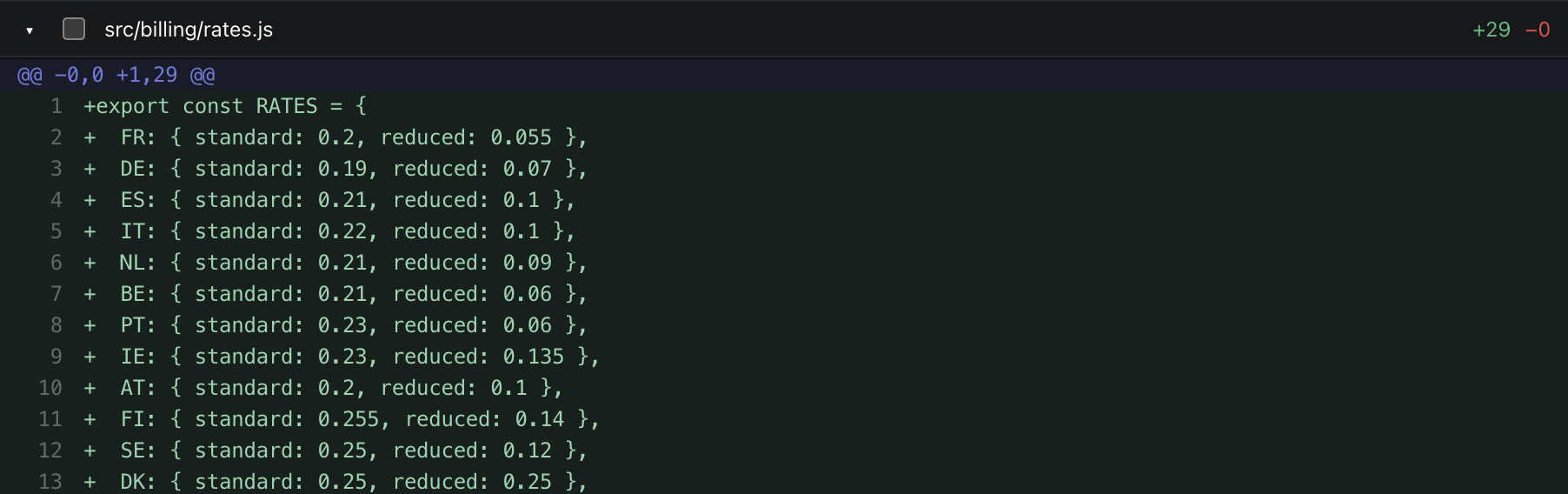
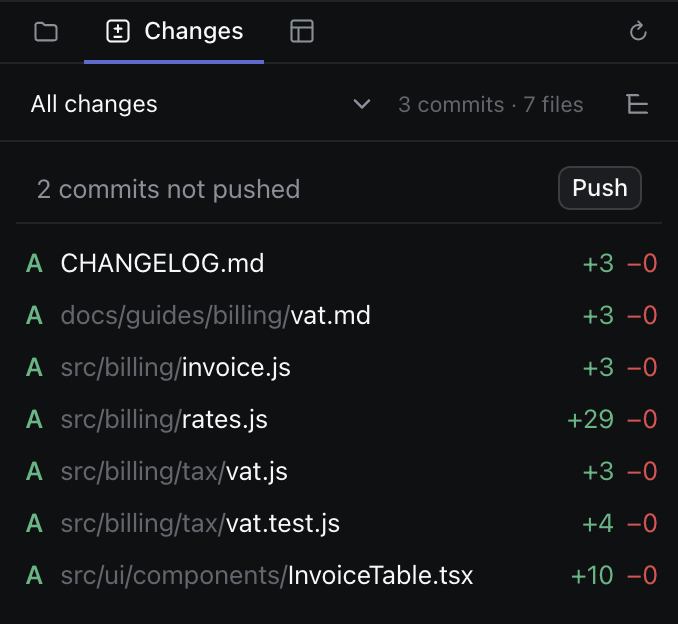
The diff of a new file, src/billing/rates.js, 29 lines added The Changes tab: 3 commits and 7 files, 2 commits not pushed with a Push button, and each file with its added and removed lines
AnywhereBeta

Close your Mac. The thread goes on.

The place after a thread's title is a menu: hand the thread to another computer, or to Claude cloud, and take it back when you want. Cloud and computer runners are in Beta: turn them on in Settings, Core plugins.

  • Hand a thread to a computer that takes its repository's issues, and follow its steps here
  • Move a Claude thread to Claude cloud: its branch is pushed, the conversation goes with it
  • Bring a cloud thread back to this Mac, in its own chat
  • A cloud environment per repository; pictures go both ways
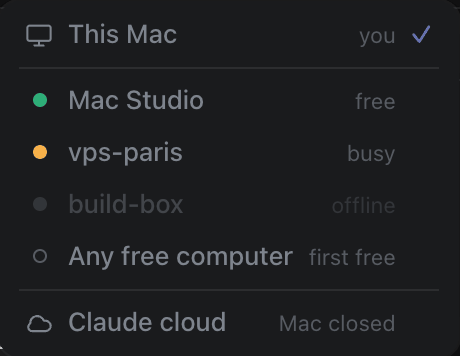
The Run by menu: This Mac, Mac Studio free, vps-paris busy, build-box offline, Any free computer, and Claude cloud
Statistics

See what your agents did for you

How many agents worked, and for how long, against the time you spent. Per repository, then per thread, over 24 hours, 7 or 30 days.

  • Average active agents per hour, and each day's busiest hour
  • Your time and agent time per day, and how many times yours they are
  • Threads finished and your pull requests merged, lines changed, and your messages per finished thread
  • Kept on Night Shift, for every Mac and the factory
  • Resources: memory and CPU of each agent, and what it started
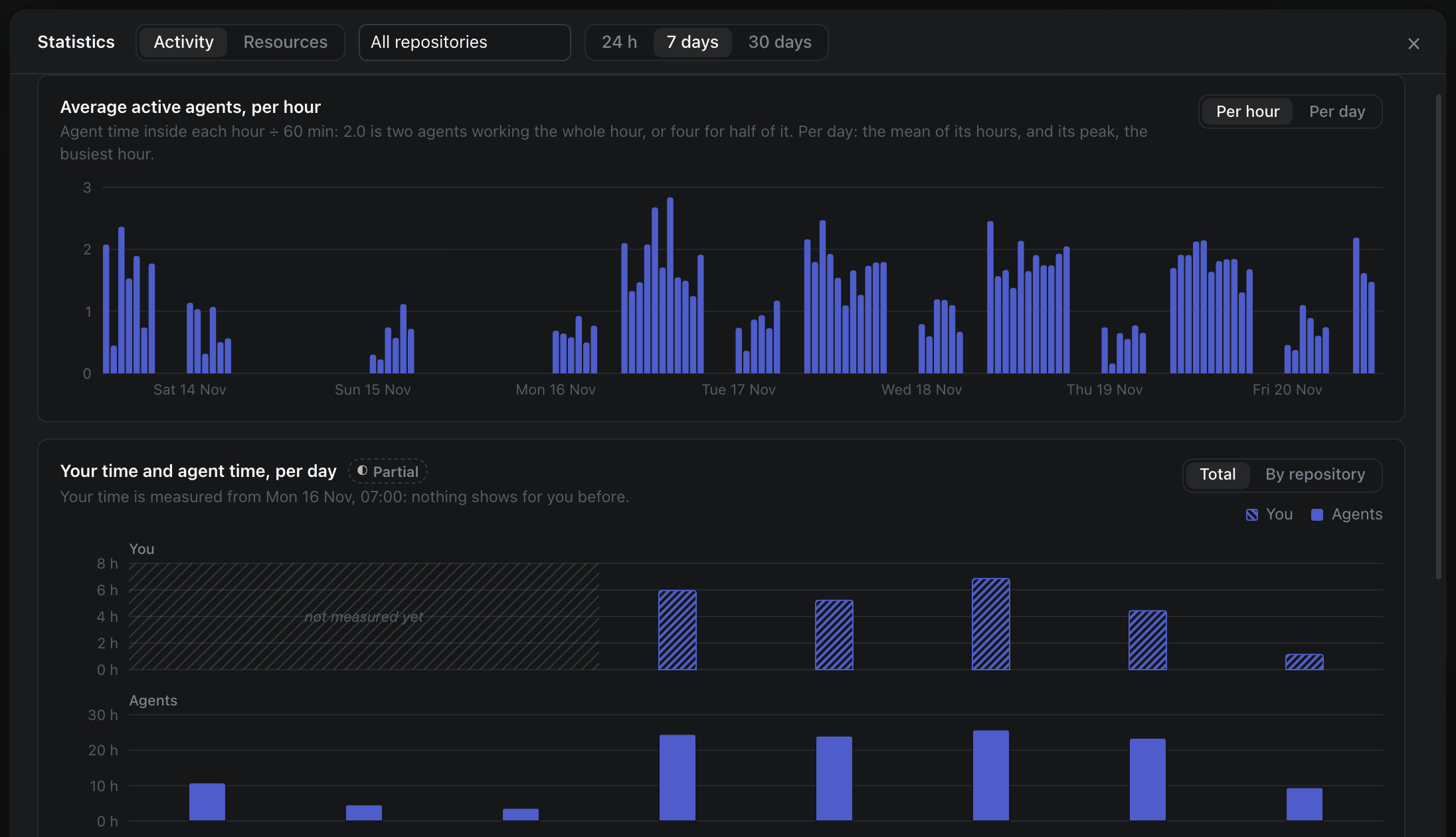
Statistics over 7 days: average active agents per hour, then your time and agent time per day

And the rest of the room

A right-click away

Right-click a sidebar row to snooze or archive it, or set its priority. Regenerate name reads its first exchanges.

Several threads per worktree

⌘T opens another agent on the same branch, each with its own model and status.

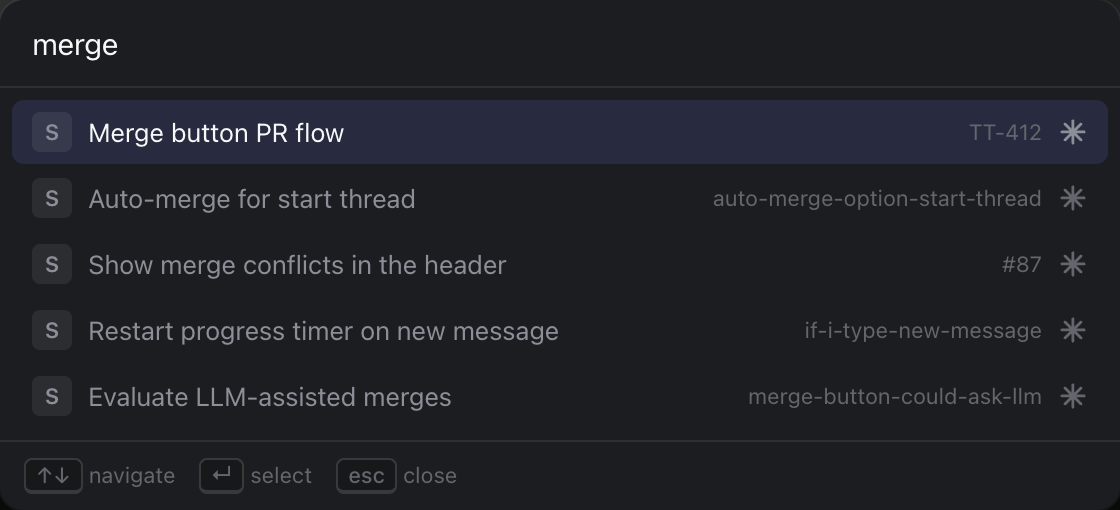
The search palette listing threads that match the word merge, each with its ticket, issue or branch

Find any thread

⌘K searches every thread by name, across all your repositories.

Scripts per repository

Setup, run and archive scripts, ports and environment for each worktree. Script buttons above the terminals show how their last run went; your own prompts sit in the chat's reply row. Ask an agent for a button and it adds one, with your Allow unless you chose bypass.

Linear and GitHub issues

A repository's tickets come from Linear, GitHub or both. Start from one, close it as Done or Canceled when the work ends, and see the Linear issues delegated to agents in the sidebar.

Skills and slash commands

/ completes the agent's commands and your project's skills, and a thread shows each skill its agent uses. Your MCP servers come along unchanged.

Graphs in your repository

Mermaid diagrams in your Markdown files are drawn in the diff, like the ones in a thread. Agents add one to the pull request and the ticket too.

Clean endings

Archive, snooze or close a thread. Archive happens at once, then says what it left behind (an open pull request, unpushed commits, uncommitted files) with a way back; Close warns first.

A cap on working threads

Choose how many threads work at once on this Mac. The rest wait in Queued and start, oldest first, as a slot frees.

Rows your way

Tags guessed from each task, the ticket and its priority: choose what a sidebar row shows. Click a thread's icon to change its priority in Linear.

The next thread, your order

After you reply, snooze or archive, the next thread opens: its highest priority, the one waiting longest, or the top or bottom of the sidebar's own order.

Several at once

Select rows with ⇧ or ⌘ and a click, then send one message to the chat threads among them, or continue, snooze, change the model of, stop or archive them together.

Feedback in a click

Point at a part of the app, say what is wrong, and Post files a public issue on Control Room's GitHub repository with your own gh. Without it, the issue opens filled in for you to send.

The same on every Mac

Light, dark or system theme, and settings that sync between your computers. Connections never leave the machine.

Updates that wait for you

A downloaded update says what it brings. Restart when settled waits for working threads and unsent messages before it restarts.

Long pastes fold away

A paste of more than 10 lines becomes a [Paste N] chip in your message. The agent gets the whole text; the chip opens it.